
This is the write-up Priya wished she had on day one: a plain-language comparison memo. Not a marketing page, not a spreadsheet someone promised to maintain—just a repeatable way to turn three “almost the same” quotes into a decision you can explain later.
Context (who, what, why now)
Priya is a freelancer who rotates between client projects. A new contract required proof of coverage, and the “get a quote” flow produced a familiar mess: different sites, different terminology, and different assumptions. The monthly prices were close enough to be annoying—but the coverage details were different enough to matter.
The goal wasn’t to find the cheapest plan. The goal was to avoid the classic trap: picking a plan that looks fine until you actually need it and realize the exclusions were the point.
“I wasn’t scared of the premium. I was scared of choosing the wrong thing because I didn’t understand what was missing.”
The failure mode: prices compare easily, policies do not
Every quote page had the same pattern: a summary card with a price, and then a scroll of details that were structured differently per provider. Even when two plans claimed the same limit, the deductibles, waiting periods, and exclusions would diverge in the footnotes.
Priya kept reopening the same tabs to answer simple questions: “Does this include X?” “Is this per-incident or aggregate?” “What happens if I need to file a claim next month?” The information existed, but it wasn’t in the same shape.
The fix: treat each quote like a listing and normalize the fields
Priya used Cartrize the same way you’d use it for marketplaces: capture each quote page once, then compare the important fields in a spreadsheet-style dashboard. The win wasn’t automation—it was having a stable table where each provider became a row and each decision point became a column.
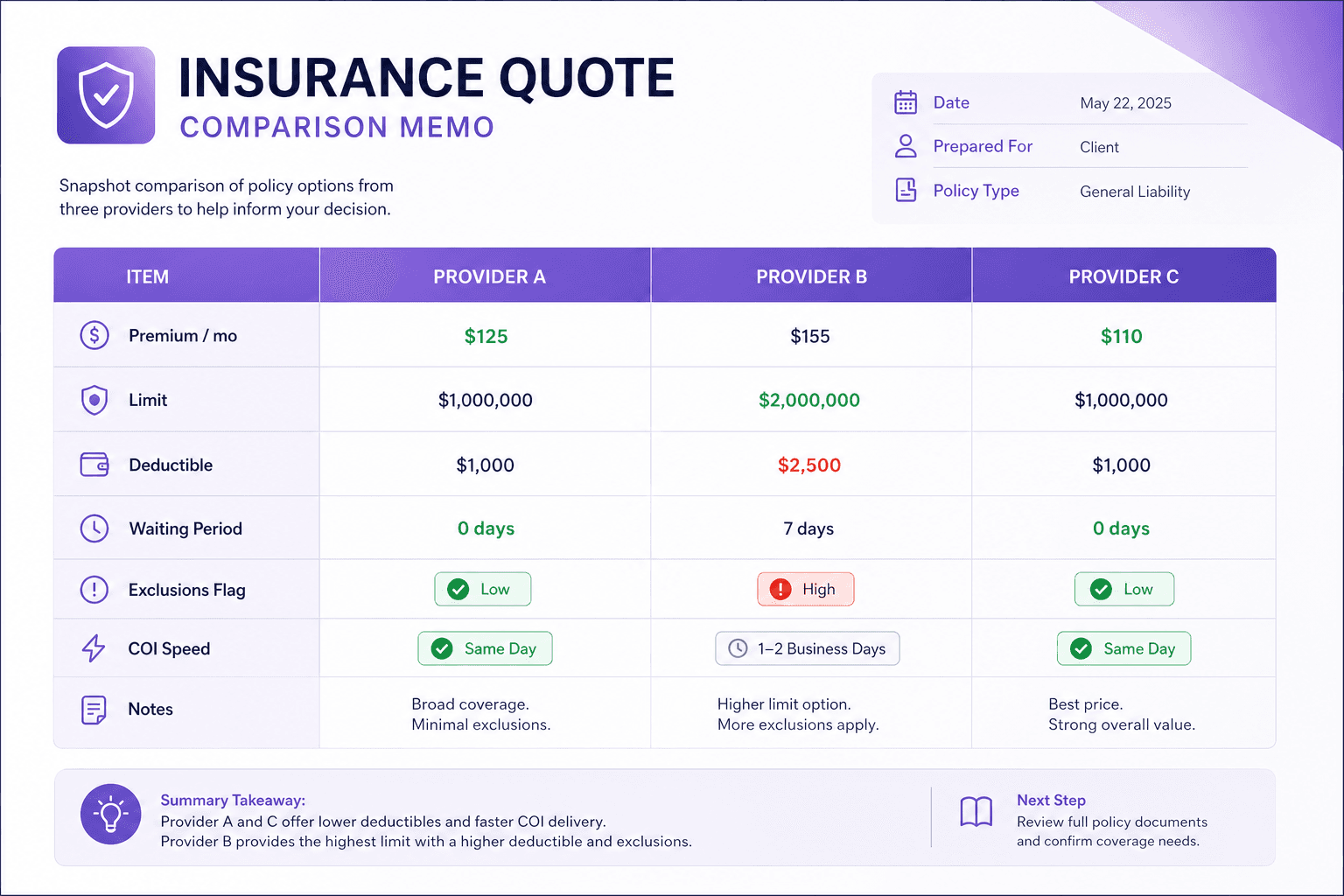
The columns that made the decision obvious
Instead of trying to “read everything,” Priya wrote a short checklist and turned it into columns. If a provider couldn’t answer a column clearly, that was a signal by itself.
- Monthly premium and annual equivalent (so discounts didn’t hide the real cost).
- Coverage limit (per incident vs aggregate) and what “limit” actually meant on that plan.
- Deductible and what triggers it (plus any separate deductibles by category).
- Waiting periods and start date assumptions (especially for contract requirements).
- Exclusions that would matter for her work (tools, travel, subcontractors, etc.).
- Proof-of-coverage requirements: what document is provided and how fast.
- Notes: anything that required clicking through or calling support.
A small but critical move: track ‘effective cost’ like OTD
The sticker price wasn’t the whole story. One provider looked cheaper until Priya noticed a higher deductible and a waiting period that would have made the policy unusable for the new contract’s timeline. Another plan had a slightly higher premium but included the certificate of insurance flow Priya needed the same day.
In the table, Priya added a column called “effective cost” that combined premium + expected friction. It was not a math formula—just an honest label that captured how the plan would feel in real life.
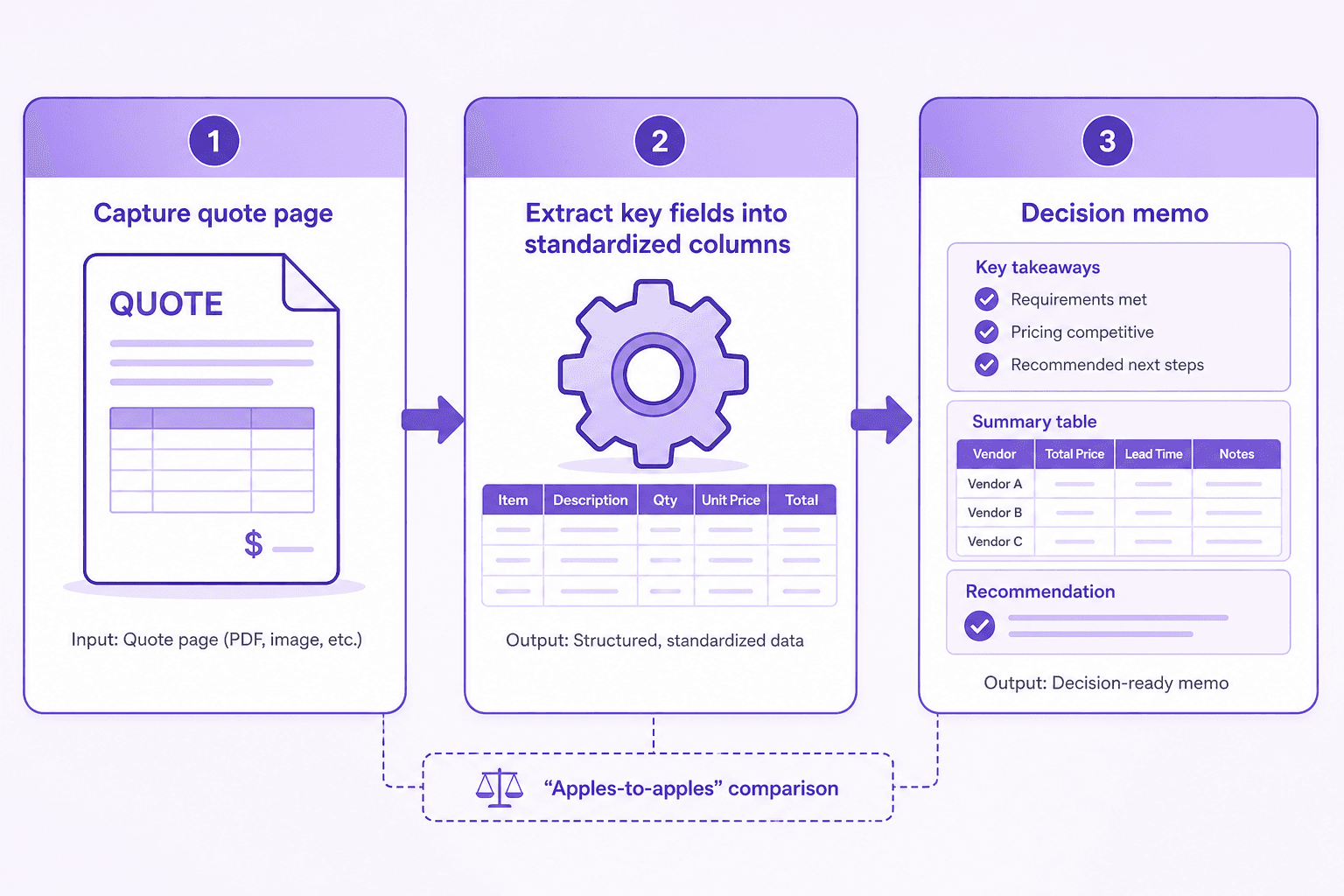
Outcome: a decision that survived a second read
Priya picked the plan she could explain in one paragraph: coverage aligned with the contract, exclusions she could live with, and a proof-of-coverage workflow that wouldn’t delay onboarding. The premium difference between first and second place ended up being smaller than one hour of billable time—so it made sense to optimize for clarity and reliability, not just the cheapest number.
Most importantly, she stopped feeling like she was guessing. The decision lived in a table, not in a half-remembered scroll position on a quote page.