
Ava was doing what most first-time buyers do: saving a dozen “maybe” homes across multiple sites, texting links back and forth, and trying to remember which place had the better yard, the newer roof, or the shorter commute. Every comparison turned into tab-hunting, re-reading, and second-guessing.
The breakthrough wasn’t “more information.” It was getting the same information into the same shape.
The problem: every listing tells its story differently
One listing buried HOA details in a PDF. Another mentioned the roof age in a single sentence near the bottom. A third had great photos but vague property notes. Ava kept a Notes doc, then tried a spreadsheet, then went back to tabs because copying details took too long and was error-prone.
“We stopped re-reading listings and started making decisions.”
What changed: capture once, compare in a table
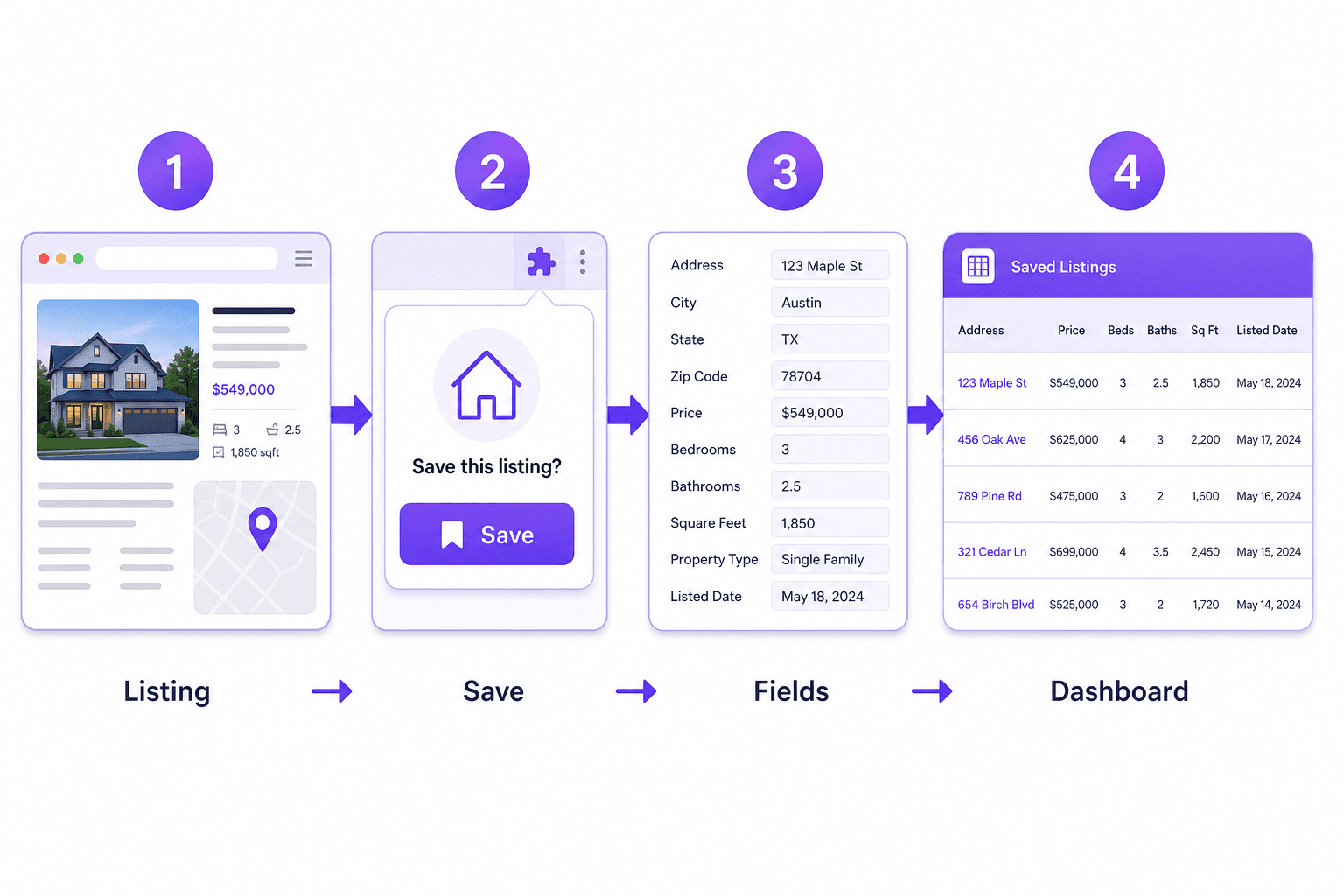
With Cartrize, Ava captured each home’s detail page as she found it. Instead of becoming another bookmark, each listing became a row in her dashboard—something she could scan and compare side by side.
The workflow that made it stick
- Capture the listing while it’s open (no copy/paste).
- Let the dashboard table normalize the details across sites.
- Add a few columns that match your decision (HOA, roof age, parking, commute).
- Drop rows quickly as dealbreakers become obvious.
By the end of week one, the list of “maybes” had grown—but the shortlist had shrunk. Ava and her partner could talk about trade-offs in one place, in the same order, with less backtracking.
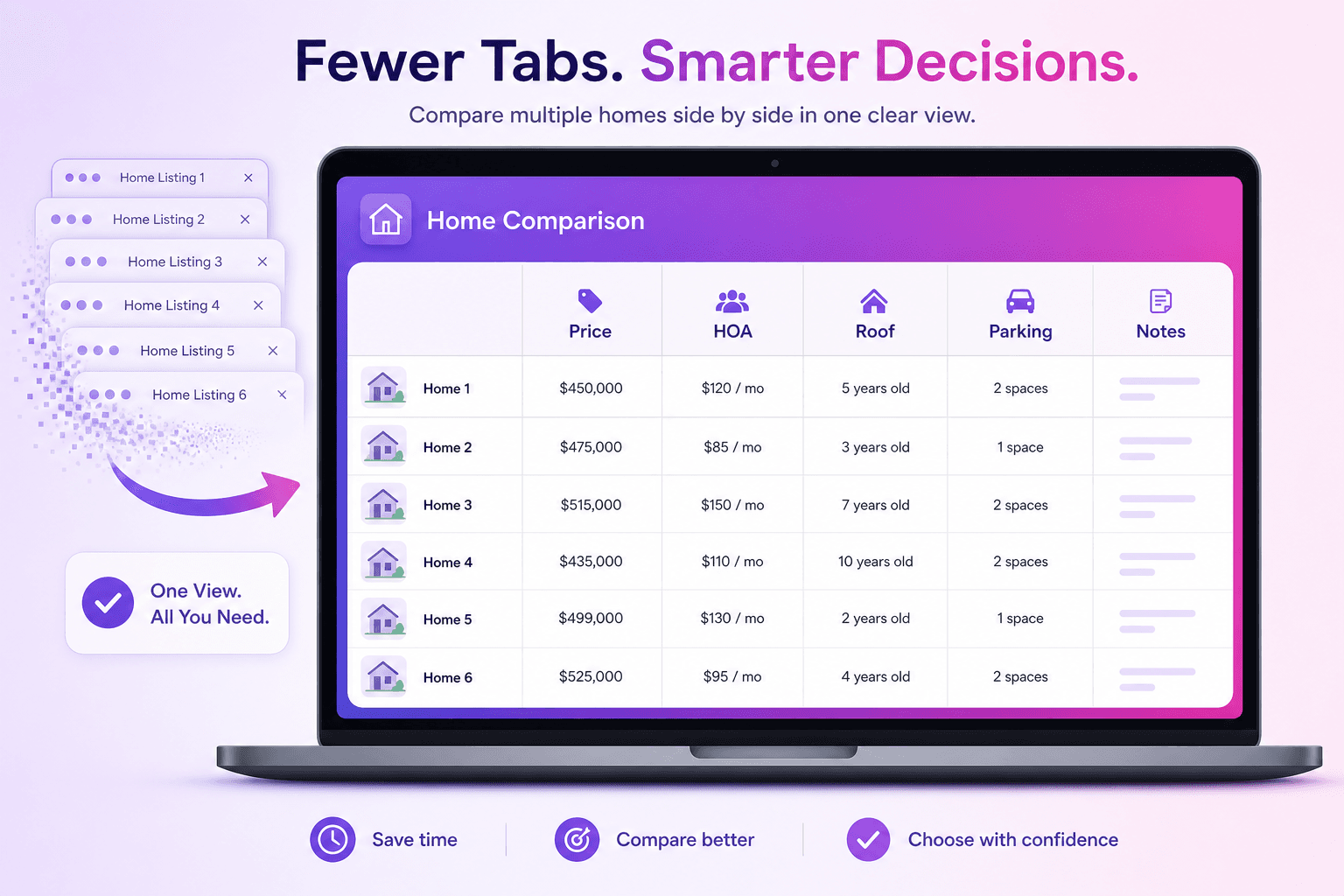
Outcome: a calm decision, not a frantic one
Cartrize didn’t pick the home—Ava did. But it removed the mental tax of tab chaos and made comparisons consistent. When it was time to decide, the “why” was visible in the table, not buried in someone’s memory.
Ava’s final shortlist: six homes. One offer. Zero regret about missing a detail.